Technological Solutions
Shaping the Industry
0
Technological Solutions
Shaping the Industry
0
AI automation for business owners · GDPR-compliant, hosted in the EU
Checking invoices, piecing quotes together, retyping data from one program into another: that's exactly the work AI takes off your plate, right inside the tools you already use. Two weeks in, your first workflow is part of daily operations, with more to follow. Where it matters, you still sign off.
Your free automation audit
In 30 minutes, we'll pinpoint the workflow that costs you the most time. Even if you're not sure where to start. Calculate your time savings →


Sound familiar?
Your core business runs. Next to it runs a second operation nobody ever planned: retyping receipts, digging up old quotes, copying customer data from one program to the next, chasing payments. It doesn't bring in a single euro, yet it eats hours every week, often from the most expensive person in the building: you.



Before and after
Four typical time sinks, step by step: how they run today and what's left of them once the automation is in place. The times are rough guides. Run your own numbers in the time calculator.




Today
about 10 minutes per invoice
Automated
Your part
Review the exceptions and approve them with one click.
about 1 minute per invoice



Today
30 to 60 minutes per quote, often sent days later
Automated
Your part
Read the draft, adjust it, send it.
about 5 minutes, sent the same day
Today
5 to 10 minutes per inquiry, and many records stay incomplete
Automated
Your part
Decide the unclear cases. That's it.
under 1 minute per inquiry
Today
about 10 minutes per unpaid invoice, while the money sits with the customer
Automated
Your part
Approve the special cases. Everything else goes out on time.
a few minutes a week
Since January 2025, every business in Germany has to be able to receive e-invoices. Sending them becomes mandatory step by step: under current rules from 2027 for companies with more than €800,000 in prior-year revenue, and from 2028 for smaller ones too. Automated invoice intake handles XRechnung and ZUGFeRD just like PDFs and scans.
What else can be automated
Time calculator
Pick a workflow that comes up regularly in your business and set the sliders to your numbers. We calculate conservatively: in this math, the automation takes over 70% of the work. Checking and signing off stays with a person.
Choose a workflow
205
Hours back per year
26
Working days per year
€9,200
Value of that time per year
That's about 4.7 hours a week.
At 40 cases a week, you get back about 205 hours a year. That's 26 working days for customers instead of data entry.
We'll review your numbers and tell you plainly whether automating is worth it.
Example calculation, not a guarantee. Formula: cases per week × minutes per case × 70% automated share × 44 working weeks, with 8 hours per working day. The value is the freed-up working time at your hourly rate, not necessarily cash in the bank. What actually goes away in your business is what we work out in the free automation audit.
How it works
No strategy workshop, no project that drags on for months. Three steps, each with a clear result, at a fixed price agreed upfront. From you, we need about three hours in total.
Step 1 · Days 1 and 2
Step 2 · Days 3 to 10
Step 3 · Days 11 to 14
Your first workflow is running, and every week you see how many cases it handled. We monitor every run, adjust the rules when something changes on your end, and take on the next time sink as soon as you're ready.
What you get out of it
The hours you save are just the start. You'll feel the difference in three places.

What used to spill into your evenings is done before you head home. You're there for customers and your team during the day, and your people get back to the work you hired them for.

The quote goes out the day the request comes in. Whoever sends a solid quote first is in the conversation before the competition has finished running the numbers. And follow-ups happen on time, because the automation doesn't forget.

The automation handles a hundred cases as reliably as ten, vacation season included. More orders no longer automatically mean more admin. And typos from retyping disappear, because nobody retypes anything.
Integrations
No new system, no retraining your team. The automation works between the programs you already have and takes over the transfers someone does by hand today.
Your programs
What comes out of it
Connected to, for example
DATEVLexware OfficesevdeskHubSpotPipedriveMicrosoft OutlookGmailMicrosoft Excel Shopify
 Personio
Just a few examples. We connect whatever you actually use: through direct interfaces or an integration layer covering 1,500+ apps. If a program has no interface, we can usually find another way in, such as an export or a shared folder.
Safety and control
The two biggest concerns are fair ones: that the AI gets something wrong, and that your data ends up where it doesn't belong. Here's how both are handled.
You decide what runs on its own and what only happens after your click. For example, every quote and every invoice over €1,000.
When the AI isn't sure about a case, it doesn't guess. The case lands with you or your team, along with the reason.
Every run is logged: what was read, what was transferred, who approved it. Handy when your accountant has questions.
Hosted in the EU, GDPR-compliant, with a data processing agreement. We decide together which data goes to which AI model. It is never used to train third-party models.
The comparison
Doing it by hand costs the same hours every week. A tool subscription like Zapier or Make takes a minute to sign up for, but someone has to set it up and fix it when it breaks. Usually that's you, at night. With us, your first workflow is live after two weeks, and we look after it from then on.
| Keep doing it by hand | DIY tool subscription | |
|---|---|---|---|
| Doesn't cost you evenings or weekends | ✓ | ✕ | ✕ |
| First workflow live after two weeks | ✓ | ✕ | ? |
| Moves data between your programs automatically | ✓ | ✕ | ? |
| Understands PDFs, scans, and free-text emails | ✓ | ✓ | ? |
| A person signs off where it matters | ✓ | ✓ | ? |
| Keeps running when someone is sick or on vacation | ✓ | ✕ | ✓ |
| Ongoing support, handover possible at any time | ✓ | ✕ | ✕ |
Who it's for
A good fit
Probably not a fit

Maximilian Schmidt
Founder & CEO, CPI Technologies
Who's responsible
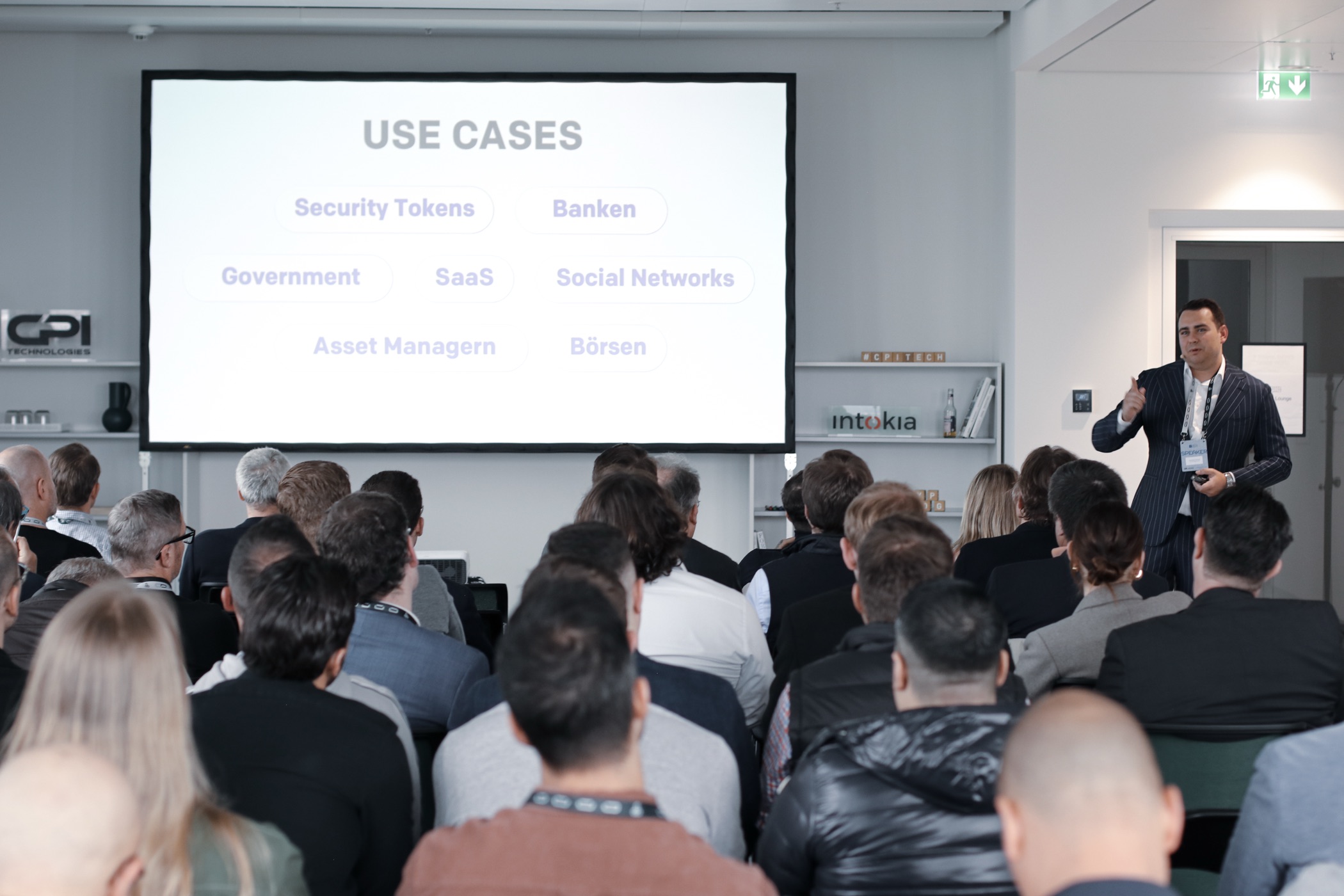
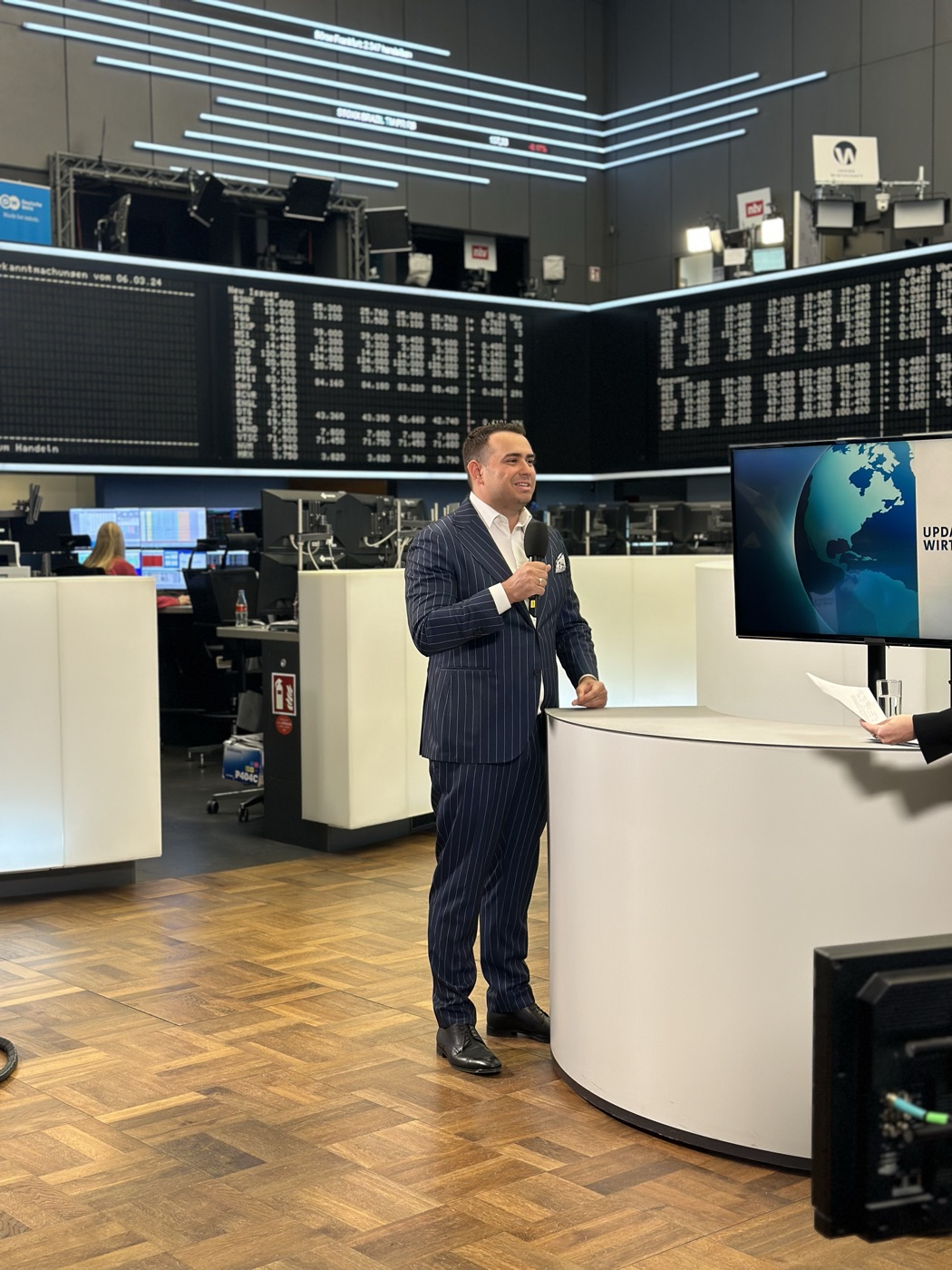
I'm Maximilian Schmidt, founder of CPI Technologies in Frankfurt. I wrote my first line of code at eight and started my first company at fourteen. Since 2017, I've put more than two million euros of my own money into software companies and hold stakes in more than ten of them, serving as CTO at several.
I have no patience for AI projects that end up as a slide deck after three months. That's why we measure every automation by a single number: the hours you get back. And that's why we start with one workflow that's running after two weeks.
Testimonials
Problem
E-commerce know-how was being sold as a service — there was no scalable platform behind it.
Goal
Enter the e-commerce SaaS business with a robust, user-friendly platform.
Result
Sellerpoint is live and routes tens of thousands of orders per day — with CPI as a long-term partner.
 Nicklas SpelmeyerSellerpoint · CEO eCommerce.de
Problem
Only a bare-bones prototype of the travel app — a long way from a market-ready product.
Goal
A full-fledged AI app with mobile and web presence that stands out in the market.
Result
Vacabee is live as an AI app across iOS, Android, and web — one of a kind in this form.
 Dennis LulicVacabee · CMO & Founder
Problem
The idea for a membership platform was there — a path to fast execution wasn't.
Goal
Get Ameritum to market fast.
Result
Platform delivered in record time thanks to AI-powered development — more joint projects are underway.
 Ulvi AydinAmeritum · Founder & Interim Manager
Problem
Fundraising required a platform that could withstand regulatory scrutiny.
Goal
A BaFin-compliant fundraising platform, delivered in time for launch.
Result
Launched on schedule and entered the market successfully — exceeding requirements.
 Martin AlbertBitalo AG · CEO
Problem
Real-world assets were ready to be tokenized — but an experienced technology partner was missing.
Goal
Build and operate a tokenization platform in a regulated environment.
Result
intokia.com was built with remarkable efficiency — CPI is a permanent partner in the ecosystem.
 Sven BüchelIntokia · Van Sterling Capital
Problem
Manual processes were holding back precious metals trading and market presence.
Goal
A modern platform that automates operations and scales the business.
Result
Trading is significantly more efficient and profitable — they commissioned a second app on the spot.
 Zhenwei WangPrecious metals trading platform
Problem
A Web3 social media app needed blockchain solutions and a comprehensive API — without an in-house tech team.
Goal
A robust, seamless solution from architecture through implementation.
Result
Delivered on time and beyond expectations — the app launched successfully.
 Jordan YallenWeb3 social app
Frequently asked questions
For a clearly defined process running on common tools: yes. We deliberately start with a single workflow and build on proven components. From you, we need about three hours over those two weeks: one hour to show us how things run today, a few quick questions, and a test run. If your project is bigger than that, we'll tell you before we start and split it into stages.
That's what sign-offs are for. At first, every case goes through a person: the AI prepares, your team checks and approves. Only once the results hold up over several weeks do standard cases run on their own. When the AI is unsure, a person still decides. Every step is logged, so mistakes can be found and fixed. For comparison: retyping by hand produces mistakes too. They're just less visible.
Yes. The automation runs in the EU, GDPR-compliant, with a data processing agreement in place. It only touches the programs and data you grant access to. We decide together which data goes to which AI model, and if you prefer, we only use models hosted in the EU. Your data is never used to train third-party models, and you can get a full list of every service in use at any time.
Most likely. We connect DATEV, Lexware Office (formerly lexoffice), sevdesk, HubSpot, Pipedrive, Outlook, Gmail, Excel, Shopify, Personio, and 1,500+ other apps. Industry software without an interface can often be reached through an export or a shared folder, and if Zapier, Make, or n8n are already running, we build on them. Special cases aren't an obstacle, they're the reason AI is in the mix: it reads free-text emails, crooked scans, and invoices in twenty different layouts.
That depends on the workflow and the programs involved. After the free automation audit, you get a written quote with scope, start date, and a fixed price that won't change afterward. We lay out the running costs for hosting and support upfront. Whether it pays off comes down to what the workflow costs you today, which you can work out in the time calculator above.
That's not the point. What gets automated is the work nobody enjoys and you can barely hire for anymore: retyping, copying, chasing. Your team keeps the decisions and gets more time for customers. And as you grow, you don't need a new position for every additional order. Our advice: involve the people who run the workflow today early on. They know best where it gets stuck.
Yes. Since January 2025, every business in Germany has to be able to receive e-invoices. Under current rules, sending them becomes mandatory in 2027 for companies with more than €800,000 in prior-year revenue, and in 2028 for smaller ones too. Automated invoice intake reads e-invoices in XRechnung or ZUGFeRD format just like PDFs and scans and passes them on to your accounting. If you like, we'll switch your outgoing invoices over as well.
Your first workflow is part of daily operations, and we keep looking after it: we monitor every run, adjust the rules when something changes on your end, and build the next workflow whenever you're ready. A handover to your team or another provider is possible at any time, with all access credentials and documentation.

Free Automation Audit
Every week by hand costs you the same hours all over again. In 30 minutes, we'll find your biggest time sink together and work out what automating it is worth. If it isn't worth it, we'll tell you straight.
Free and non-binding · We usually reply within one business day
A few clicks about your workflow, how often it comes up, and when you want to start. Then you book your slot right away, or we get in touch with you.
By video or phone: you show us how things run today, and we show you what AI can take over, which programs need connecting, and what it's worth to you per year.
Within two business days, you get the scope, fixed price, and start date in writing. Two weeks after kickoff, your first workflow is live.
Tell us briefly about your project.
Your free automation audit

Maximilian Schmidt, Founder & CEO, has answers for anything
50.1104° N, 8.6538° E